Skip to main content navigation

Thoughts & Articles

What I’ve learned about AI (and why I’m not using it)

slab
Jim Infantino
Astronaut in dark environment without a helmet

Dave from 2001 a space odyssey

In my very early working life, in 1990, I spent some time doing graphic design at a company called Cambridge Technology Solutions (later Cambridge Technology Partners). I created slides and presentations, mostly. I was barely paying attention, focusing primarily on the next open mic or gig. Music was my main focus back then.

I remember the titles of the slides, which included “TCPIP - Tim Berners-Lee,” “Mosaic Browser - Marc Andreessen,” and “Networked Systems.” It all sounded like cultish nonsense to me. Everyone was very excited about these things. I wasn't and wouldn't be for another seven years. One however, stands out in my memory, and that was a slide titled “Machine Learning - Expert Systems.”

My point is, that machine intelligence has been a focus of the tech-forward people for decades now, even within my own lifetime. Machine Learning was a term for computer training models coined in the 1950s. It's not a new idea. It is a computer program that strengthens its internal connections based on input data through repetitive training. This is the basis of the modern LLM, which is marketed as Artificial Intelligence.

These systems are giant autocompletion programs. You may have heard this before, and it's hard to believe that all the models are doing is statistically computing the most likely next word, pixel, or sound based on their training data, but that’s pretty much it. The idea that they can or will evolve into something that thinks is simply marketing hype. The reason it seems like these models (ChatGPT, Claude, Gemini, Grok) seem smart is due to the incredible size of the computers behind these models, not because they have a neurological structure akin to our own.

But so what? If they work to help design things and write code, what difference does it make that they are mere imitations of experts? Why not use them to write more code, design more websites, and do it all for little to no cost?

There are several problems with this.

  1. The code these models create is derivative, buggy, and insecure. I fed Gemini a series of functions for it to rewrite into an new format, and because none of the code I provided existed on open-source libraries, it rewrote a small fraction of what I gave it and ignored the rest. When I asked it why it skipped so much, it told me that it had completed the job. I won’t say it lied, because the answer it gave me was not based on the results it provided. It was simply writing the most plausible sentence to answer my question.

  2. The designs it comes up with are also derivative. This doesn't mean that a model might not create a good looking design, but those designs are better researched by searching out competitive websites within the client’s field, and creating a more appropriate look for the client’s brand with those sites in mind, rather than taking a randomly generated derivation.

  3. AI services are cheap now, but they will not be cheap in the future if the major companies providing the models do not start becoming profitable. As I write this, Open AI and Anthropic have already tried charging a realistic rate to cover their costs, and companies are pushing back hard. In an attempt to capture market share, both afforementioned AI companies have slashed their prices to almost nothing, hoping they can raise them when their models become indespensible. This is not realistic. Uber created genuine demand before raising their prices.

  4. AI code is opaque. It may feel like a miracle to get a bunch of code dumped on your doorstep while you sip your espresso, but to ensure it doesn't expose sensitive contents from the database or die when actual people start using it, the engineer (me) will have to go through it line by line to find the security holes. AI code is generated with zero accountability. Add to that the problem that all this code will need updating as needs change, and AI models don't update. They simply rewrite the entire application from scratch. These models don't understand, they just iterate. This creates major issues down the road that I, for one, don’t want to encounter.

  5. Writing code is only part of the job of building a working application or generating a website. The other part is planning for human interaction, information architecture, personalization, and user experience. The models will generate something that looks good at first glance, but the devil is in the details, and the details involve how it is experienced by a human being, not another robotic model. There will always be the need for a specialist who undertands all the parameters of a task. This requires revision, not re-iteration. It's a difference that seems subtle until someone tries to build something that works reliably.

There are other problems, but I feel like I've bored you enough. Even though this is all very exciting, and in many years time, we may indeed have Expert Systems that are actually experts, I'm going to stick with my slow, hand coded, hand designed craft for now. The promises that have been made of late are all too good to be true.

Do I need to say that I wrote this article without a chatbot? I wrote this article without a chatbot. The errors are all my own.

–Jim

P.S. This is a song I wrote about AI psychosis. There is some hyperbole in this perhaps, but also some real warnings.

If you want to read more from the point of view of another skeptic, I recommend BetterOffline by Ed Zitron.

This video follows much of my thinking above but with references and statistics:

Why you might want to avoid AI art

slab
Jim Infantino

Images are content, just like words. We all know the saying about pictures and how many words they're worth, so what if your image is created from an amagamation of other images by means of a prompt? Does that image enhance your content or subtract from it? Does it include the depth of an image shot from a camera on-site, or is it limited to the directions delivered by the prompt? If a visitor notices that it was created by AI, will that rob them of confidence in what you do?

These are all questions worth asking. Even if we use stock photography (assuming it is not, itself generated by AI), are you including it merely because you want more color on the page? Does it communicate something important to your visitor about who you are or what you offer? Does it generate confidence in your area of expertise? What would happen if someone notices the image is a fake?

As I review my previous blog posts, I see a lot of stock photography. I have to say, I'm not proud of that. It might have been better and more genuine if I had shot something with my iPhone, than if I added something from a list of images that looked related.

Perhaps we should try harder to look at our content the way our visitors view it. Not including an image might be better than including a stock image, or a fake image, to convey our message.

What is a DMARC and why do I need one?

slab
Jim Infantino

Email is finally tightening up. This is a good thing. Services like Google Workspace, Gmail, Yahoo, and gradually, every email service will require authenticated, validated emails to be set up for all email they receive from and for you.

I keep hearing about DMARC, DKIM, SPF, and SMTP? What do these stand for?

SPF

SPF stands for Sender Policy Framework and is an ani-Spoofing record - tied to the domain - this is the weakest measure against people pretending to send out email disguised as you.

DKIM

DKIM is Domain Keys Identified Mail - tied to the domain, it is a long string of secret random characters like a password. There are two keys, a public key and a private key. These are used to ensure that your email was sent from your outgoing mail server and were authenticated for your domain.

DMARC

DMARC is Domain Based Message Authentication, Reporting, and Conformance - tied to the domain, it is a policy stating that only authenticated verified email sent from your domain is authentic. This policy as you set it up can contain records that say how you want to handle emails that have apparently not been sent by you (via SPF and DKIM misalignment) and where you want a report sent with this information.

Important to note:

The above records are set at the nameserver for your domain. This might be handled by us at Slabmedia if you are a client, or at your domain registrar (Network Solutions, GoDaddy, NameCheap, etc.). They are attached to your domain name (the something.com that appears after the @ sign in your email address). You need only be concerned with email that is coming from your domain, not email that ends in gmail.com or hotmail or yahoo.

SMTP

SMTP stands for Simple Mail Transfer Protocol - it is older than the web itself. So old, in fact, that when it was introduced, the number one song was “Call Me” by Blondie. The important thing about it is that it sends email using your username and password each time. There are some other methods for sending email that don’t require a username and password, such as simple scripts from websites that send out email from the server, unauthenticated. This didn’t used to be a problematic way to send newsletters or other messages, but it is now. Soon, it will be gone for good.

So, does this mean if my email gets hacked, the hacker won’t be able to send out emails from my address?

Sadly, no. If a hacker has your email username and password, they can authenticate your email as they send out spam, the same way you do. What it prevents is a spammer, not a hacker, sending out emails with your address in the From: header, and Reply-To: header of the email. Those emails will not be authenticated, will not pass the SPF test, the DKIM test, and DMARC will either reject, quarantee, and/or notify you, if you have those features set up in your DMARC record.

We are working to get all SPF, DKIM, and DMARC records up and running for our clients, but each client’s email situation is different, and must be dealt with one at a time. Please contact us with any questions about these changes to the world of email.

SEO and Web Accessibility – Things You Must Know

chrstphroldman
Christopher Oldman
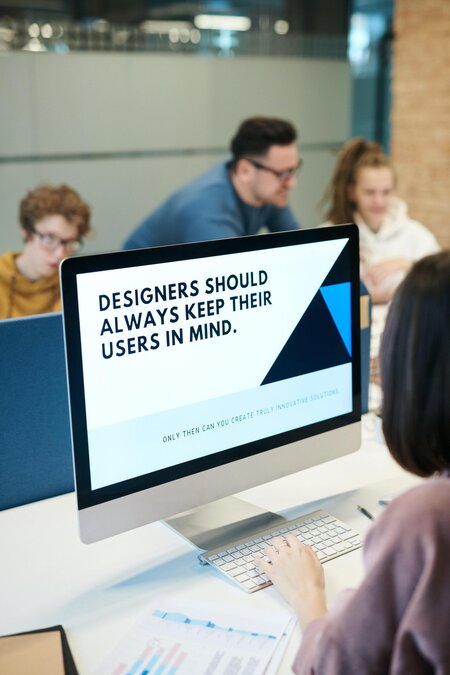
computer monitor reading -designers should always keep their users in mind-

Photo by fauxels: https://www.pexels.com/photo/people-inside-building-3184455/

Oftentimes, when we discuss website user experience, we think about improvements to loading speeds, better navigation, better formatting, easier mobile access, etc. But, what is often overlooked is the accessibility side of website UX.

What does this mean? It means that, in our pursuit of impeccable UX, we are actually ignoring the people that benefit from UX improvements the most - people with disabilities.

There are many disabilities that would render one unable to interact with your website. Blindness is the first thing that comes to mind.

Around 3.37% of men of all ages and 3.77% of all women worldwide suffer from medium to severe vision impairment. That is to say, these people suffer from conditions that aren’t correctible with simple lenses, or aren’t correctible at all.

Second, you might think of people with dyslexia. It is estimated that over 40 million Americans are dyslexic to some degree, but only 2 million have been diagnosed. This means that there are potentially millions of people that would like to interact with your website, but can’t, because of their impediment.

Thirdly, there are people with hearing impairments. Such people will have trouble engaging with video, or audio content, and they need to be accommodated as well.

And these are just the three most common impediments we think of. There are a range of other physical (loss of use of limbs) and cognitive (ADHD) disabilities that people live with every day, and they want to enjoy the wonders of the internet as much as anyone else.

But, catering to these people seems like a monumental task, and one that would require a website dedicated to people with disabilities. Well, we’re here to tell you that is not entirely true - there are ways you can use your standard SEO practices to improve your website’s accessibility, and here’s how you can do it.

  1. Title Tags

Title tag optimization is pretty much the first thing you do when taking care of your SEO. A good title tag can entice a visitor to come to your website instead of going to a competitor’s, and it is just as important for attracting the attention of people with disabilities as it is for the rest of us.

From an SEO perspective, clean and optimized title tags are good for first impressions and indexing. A good title tag immediately signals to both the search engine and the person browsing the web what can be found on your website and each individual page.

From a disability perspective, it is extremely useful for people that rely on screen readers, or persons using voice-assisted navigation.

For those using screen readers, these people might have impaired vision, and rely on your website title tags being short, readable, and to the point in order to understand the content of your website.

For people using voice-assisted navigation, they might be unable to use a mouse due to a physical disability, and they need you to have a simple title tag that their voice assistant can easily pick up and understand.

This bit about voice assist also ties in well with SEO. Modern trends dictate a rise in voice search popularity. More than 128 million people are using voice search more intensely, and almost a half of those are mobile users. Since mobile is becoming a preferred way to browse, not optimizing your website for anything mobile-related is certain to hurt you in the long run.

  1. Headers

When it comes to navigation and indexing, the headers on your website will prove absolutely vital.

You’ve probably encountered these websites - their headers are all over the place, so the entire thing looks like a hastily-assembled college kid’s notebook, rather than a professional-looking, well-structured website.

Good website design dictates that no piece of information should be more than three clicks away from the title page. And this is where good header hierarchy will help you create a clean, easily-navigable structure that your visitors will greatly appreciate.

But, good structure goes further than just user satisfaction; it also allows Google’s web crawlers to index your website better.

By indexing it, the engine gains a better understanding of the contents of your website, and can, in the future, better present pages from your website to relevant queries.

The same sentiments apply to accessibility. Again, using voice assist and screen reading as an example, you are much less likely to frustrate those people with a poor header hierarchy, leading to terrible website composition, than you are with a clean and easy-to-navigate structure.

Finally, headers are a vital component of featured snippets, aka position zero. Position zero is highly-coveted, as it is placed before all other organic search results and is a great way to gain exposure for one’s website, thus increasing its authority.

It is also the first thing read by voice assistants like Alexa, and similar screen reading technology, thereby making it invaluable for the visually impaired.

  1. Alt Text

Proper alt text for pictures is an extremely useful SEO technique for image indexing. Since computers can’t exactly “see” pictures or videos, they rely on alt text in order to understand what the picture portrays.

By entering a short but descriptive alt text, you’re allowing Google’s web crawlers to better understand and then catalog your content. If your images are relevant to the query, then they will appear in organic search along with your website.

The same thing applies to people with visual impairments. As they cannot see your photos, they’ll rely on screen readers to describe them.

Of course, if your images don’t have descriptive alt text, then your visitor won’t be able to fully enjoy your carefully selected images like a non-visually impaired person would.

  1. Video Transcripts

Just like images, the AI can’t “see” videos either. This makes indexing such content that much harder, especially when you consider the importance of video in today’s content marketing, and the fact that 54% of people would like to see more video content from their favorite brands, according to Hubspot.

This is why most SEO experts advocate providing transcripts for your video content. Just like alt text, a transcript provides context to the browser, allowing it to rate its relevancy and determine its position in the SERPs.

When it comes to accessibility, it goes without saying that a video transcript is invaluable to the blind, as their screen reading software is going to read it out for them, so they can, essentially, “watch” the video like the rest of us.

A transcript is very valuable to the deaf community. If your video doesn’t have subtitles, or if the subtitles aren’t available in your desired language, then writing a transcript is of great help to those with impaired hearing. It allows them to watch the video, and combine it with the transcript to gain the full picture.

Video transcripts also have another, more situational, use as well. They can be very useful for people that can’t play audio at a certain moment, either due to not wanting to create a disturbance, or if their audio equipment fails.

With a transcript, they can peruse its content just as if they were watching it.

Finally, transcripts can be useful to people with photo-sensitive epilepsy. If your video contains flashing, bright lights, you may not want to show it to people with this condition. Instead, you can provide a transcript so they can enjoy your content without endangering themselves.

  1. Schema Markups

One of the most powerful SEO practices is creating schema markups. Schema markups are not too dissimilar to meta descriptions, but are much more detailed and allow you to display more information within such a confined space.

Schema markups are used when a website wants to display more complex information than just a general description of their webpage.

A schema markup can include things like ratings, curated snippets taken from reviews and testimonials, product prices, and/or product/service descriptions.

However, schema markups require a bit of coding knowledge to implement successfully. If you’re not a tech wiz, you can always hire an agency to take care of your SEO for you.

Choosing the right SEO agency can make or break your website, but most will be familiar with this technology, so don’t be afraid to ask them for help.

All this allows you to make your website more transparent and more readable for the browser engine. In turn, Google will value your website more highly, as now it can use it as a direct and relevant answer to a query.

In terms of accessibility, again, this is extremely useful for screen reading technology. It allows a disabled person to browse your website without having to essentially browse it, as they can glean all the information they need without having to navigate the website.

Schema markups are also highly popular with people who cannot use their input devices due to injury or loss of their digits and upper limbs. Since they use voice assistants, site navigation can be daunting and difficult for them, so a schema markup is often very widely appreciated.

  1. Conclusion

And there you have it - SEO can not only be compatible with accessibility, but we’ve proven a direct correlation between the two.

So, the next time you sit down to create a website, or optimize your existing one, try to include accessibility considerations in your plans, as they can have a direct, positive influence on your SEO.

Author’s Bio

Christopher Oldman headshot

Christopher is a Digital Marketing specialist, Project Manager and Editor at Find Digital Agency and a passionate blogger. He is a devoted and experienced author who loves to pay attention to quality research and details. Focused on fresh digital insights and voice distribution across different channels, he starts the day scrolling digest on digital trends while sipping a cup of coffee. In his free time Christopher plays drums and Magic: the Gathering.


Developing or improving your brand identity

slab
Jim Infantino
Wooden crate with Arbuckels Coffee Brand next to barrels

Photo by Clem Onojeghuo: https://www.pexels.com/photo/arbuckles-roasted-coffees-175747/

Understanding your project or organization is a key step in the development of your presence online and everywhere. Any web design project must begin with a deep understanding of your existing identity materials such as logo, mission statement, unique proposition, so that your online identity is in line with who you are and what you represent.

Most people think of this process as simply logo design. In reality it goes deeper than just your logo. Your logo is an immediate visual representation of your core principles. To design your logo effectively requires a comprehensive understanding of your values, offerings, culture, and philosophy. Sometimes, all that is required is a representation of your name in the right typeface. Often it requires a symbol that distills your uniqueness down to an icon.

Modern branding was evidenced in marketplaces during the 19th century with a literal branding iron that would burn a name on a barrel of goods. The practice actually goes back over 5000 years to early farmers laying claim to their cattle, and early vendors painting signs at fairs and markets to symbolically represent the nature of their wares to a mostly illiterate populace.

In the digital universe, your brand identity is represented in your social media posts, in your website’s browser tab, and of course, in the header of your website. The design of your digital and print materials flows from your branding. Your choice of typeface, color use, contrast, shape and informational architecture is based on the understanding of your identity and your branding materials. A change in the design of your logo, or a deeper change in your organization’s values or mission should be reflected in all your internally and externally facing materials, especially your website.

Here is a quick talk by Philip Dubrow of Marshall Strategy on Organizational Identity which shows the importance of understanding your company or organization, which is invaluable in developing the materials that will set you apart.

So, how is your organization identity? Is it optimally reflected on your webste? Here at Slabmedia, we are eager to help you align your web presence with the best representation of your identity. It’s enriching work we love to do.

When is “good enough” not good enough?

slab
Jim Infantino
a rack of sweaters

Photo by Charles Deluvio on Unsplash

We all know the process. We think we are moving in the right direction, gathering the right tools to finish the job and when we see the results we think, “it’s okay. It’s good enough.”

Too many times, this is how some people approach web design.

Perhaps the platform you chose promised the fabled combination of fast-cheap-good, perhaps you saw a template that looked exactly right when you saw the demo but less than great when you put it together. Perhaps you hired someone who promised that the results would be customized to your standards, but spent most of their time managing your expectations. This is the promise of cheap and quick website building.

The truth is, you can either accept these limitations or you can up your game.

Your project is worth going the extra mile. Your brand deserves more. Your website should represent your best ideals and represent your unique offerings. Your website should be the optimal expression of who you are what what you do.

Templates are always going to center around an average. Often they are over-engineered with bulky code to provide limited customization. They offer good design, but it may not be the right design for you.

The template you choose may seem good at the time, but when your site is completed, it probably isn’t good enough.

This is why we build the way we build. We start with a blank slate and design in harmony with your brand from the ground up. We work until we get it right.

We encourage you not to settle for good enough. Instead, let’s build something great.